


Technical Glossary
Human-Machine Interface (HMI)
Definition, types, examples and differences with UI — everything you need to know about HMI.
| A Human-Machine Interface (HMI) refers to all the devices — visual, tactile, auditory or gestural — that allow a human user to interact with a computer, electronic or mechanical system. It is the point of contact between the internal logic of a machine and the intention of a user. | 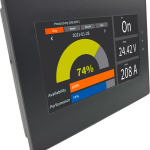 |
The main types of HMI
Human-machine interfaces fall into several broad categories depending on the interaction channel used.
Graphical interfaces (GUI)
Windows, buttons, drop-down menus, icons — the classic visual interfaces of operating systems and software.Touchscreen interfaces
Capacitive screens on smartphones, tablets and interactive kiosks enabling interaction through touch.Voice interfaces
Voice assistants (Siri, Alexa, Google Assistant) and speech recognition systems.Industrial HMI
Control panels, programmable logic controllers and SCADA systems used in production environments.Immersive interfaces
Virtual reality (VR) and augmented reality (AR) for interactions in three-dimensional environments.Command-line interfaces
Terminal, shell, CLI — direct text-based interaction with the operating system or software.HMI, UI, GUI: what are the differences?
These terms are often confused. Here are their key distinctions.
| Term | Meaning | Usage context |
|---|---|---|
| HMI | Human-Machine Interface | Generic term used in computing, industry and ergonomics. |
| IHM | Interface Homme-Machine | French equivalent, widely used in French-speaking technical and industrial contexts. |
| UI | User Interface | Term from digital design, often limited to software and web interfaces. |
| GUI | Graphical User Interface | HMI subcategory: fully visual interfaces (windows, icons, pointer). |
| UX | User Experience | Refers to the overall user experience, beyond the visual interface alone. |
Why is HMI essential?
A well-designed HMI reduces human error, improves productivity and makes systems accessible to the widest possible audience. It is at the heart of disciplines such as cognitive ergonomics, systems engineering and UX design.
In industry, a poorly designed HMI can have serious consequences (accidents, failures). In the digital world, it directly determines the adoption rate of a software product.
Frequently asked questions about HMI
-
What is the simple definition of an HMI?
An HMI is anything that allows a human to communicate with a machine: a screen, a keyboard, a voice, a physical button or a gesture. It is the “translator” between the human and the machine logic. -
What is the difference between an HMI and a user interface (UI)?
HMI is the broader term: it covers all forms of interaction (industrial, vocal, gestural…). The UI (user interface) is a subcategory of HMI, generally limited to digital and visual interfaces. -
What are concrete examples of HMI?
An ATM, a smartphone interface, a car dashboard, a warehouse management system, a voice assistant or the numerical control of a machine tool are all examples of HMI. -
Who designs human-machine interfaces?
HMI design involves several profiles: ergonomics engineers, UX/UI designers, software developers and, in industry, automation engineers or systems engineers. Standards such as ISO 9241 set out best practices for design.
Synonyms and related terms
HMI is referred to by many terms depending on the sector and language. These variants are all indexable by search engines.