


TOUCH PANEL Command-HMI
Affordable ✦ Full Color ✦ Touch HMI
More Than Just a Display
Unbranded Front ✦ Neutral Style
Get the features you actually need, without overpaying
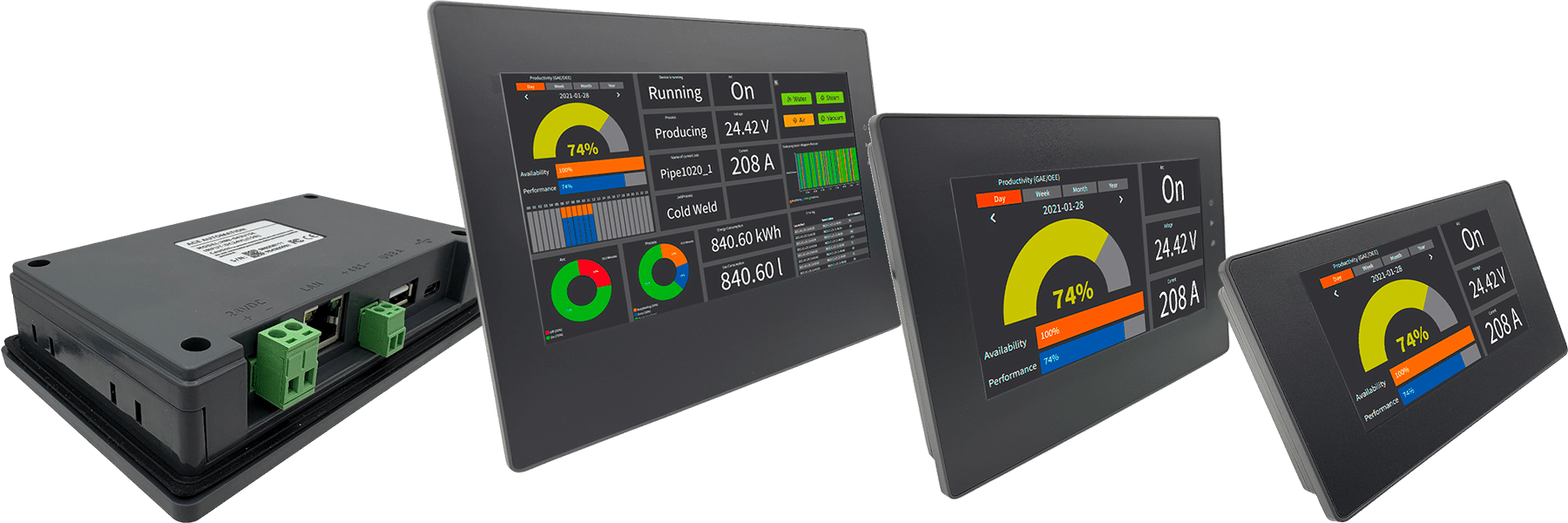
Key advantages

Excellent value without compromising reliability
Unbranded front panel, ready for your brand
Front IP65, fanless design for harsh environments
High brightness display for industrial visibility
Available sizes from 3.5 to 15.6 inches
Efficient and modern hardware
ARM Cortex-A7 Dual Core processor, optimized for HMI performance
Fast screen response and stable operation
128 MB Flash and DDR memory for real applications

Built for industrial operation
Battery backed real time clock and retentive data
Low power consumption 12 to 24 VDC (24 VDC for 15.6″)
Operating temperature from -20 to +65°C

Fast deployment on site
Project download via Ethernet, USB-C, USB key
Export data, alarms, recipes and screenshots easily
Ethernet, WiFi, 4G, RS232/485, USB connectivity for extensions and peripherals

Free and capable software
Free programming software, no license cost
Simple yet powerful software with an extensive library of objects
Supports multilingual projects
Vector graphics and scalable UI
Macros, communication protocols, user management
REASONS TO USE Command-HMI
Free and capable software
” I am amazed at how easy it is to use the HMI software! “

HMI tags in the vBuilder software for ACE PLCs

Large, Easy to use HMI Keypad

Extensive library of objects
CommandHMI 4.3″ + ACE PLC from 114 €
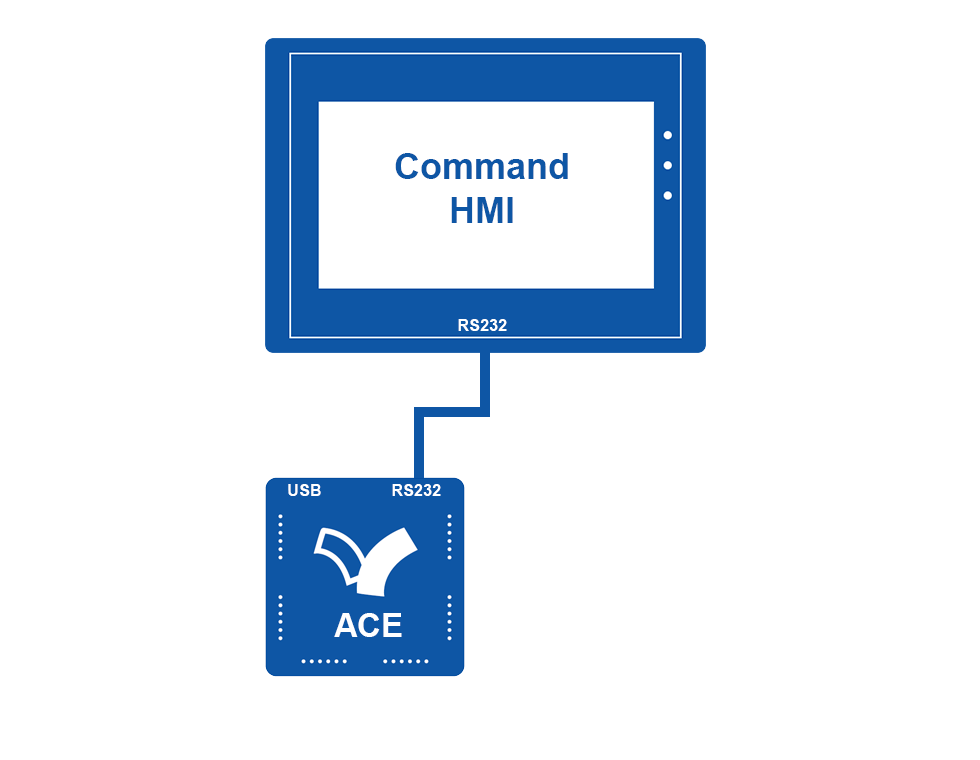
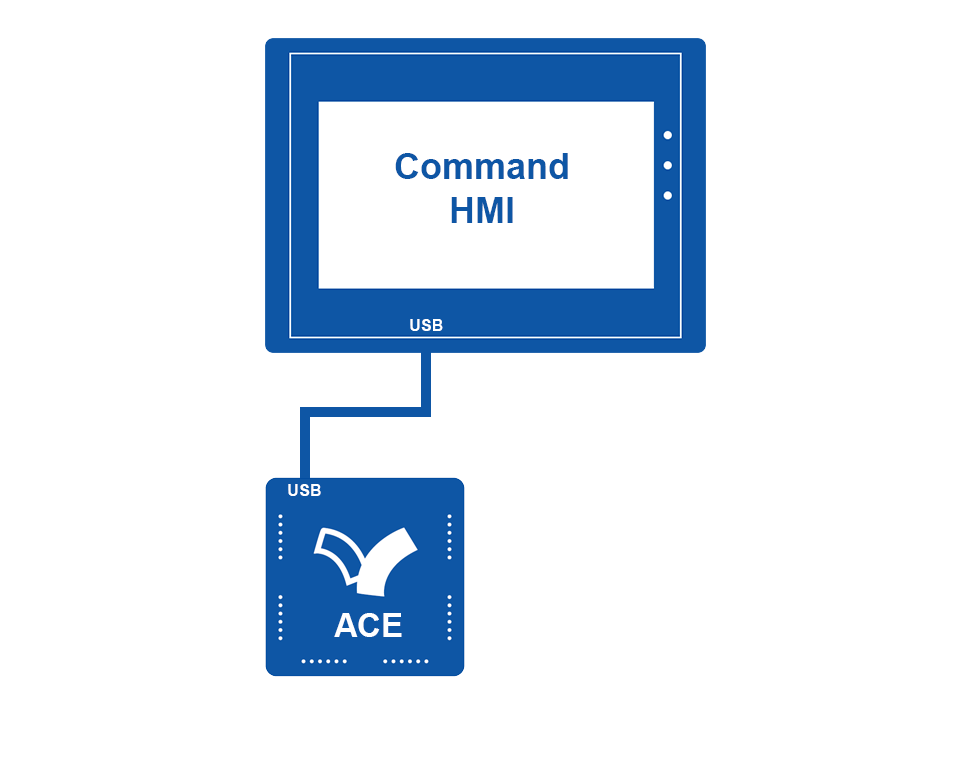
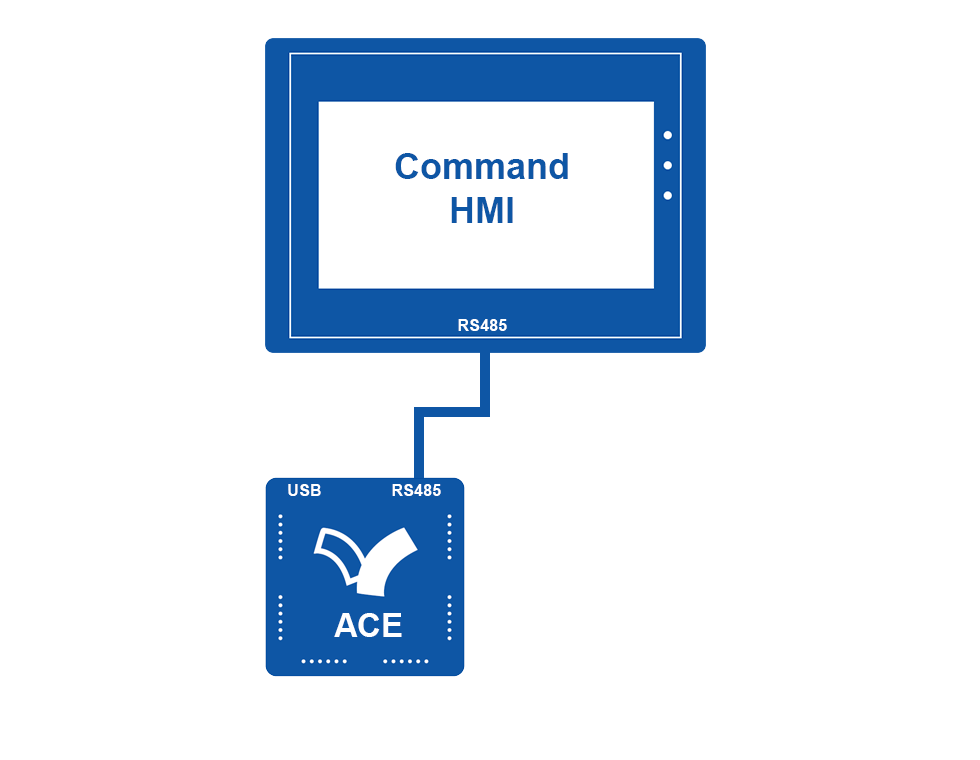
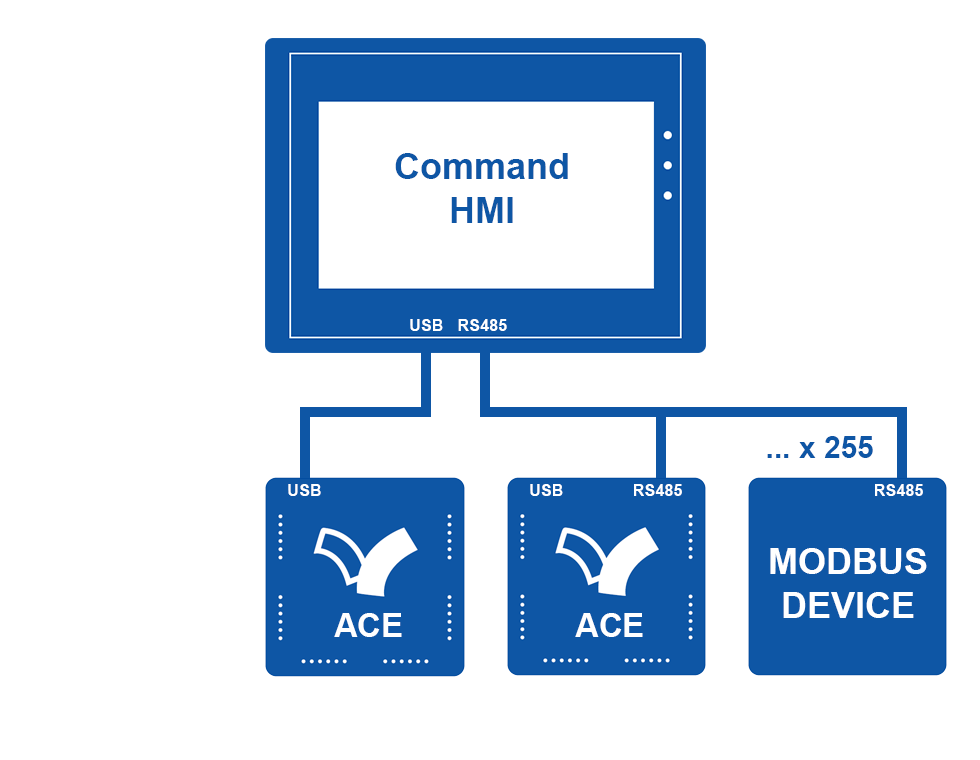
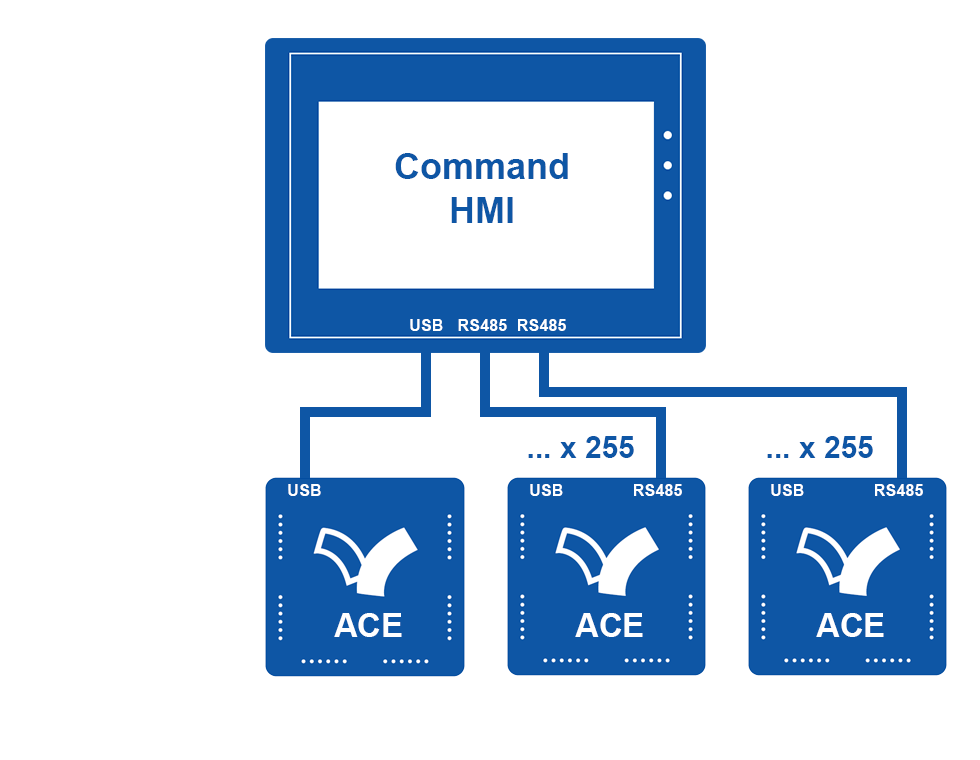
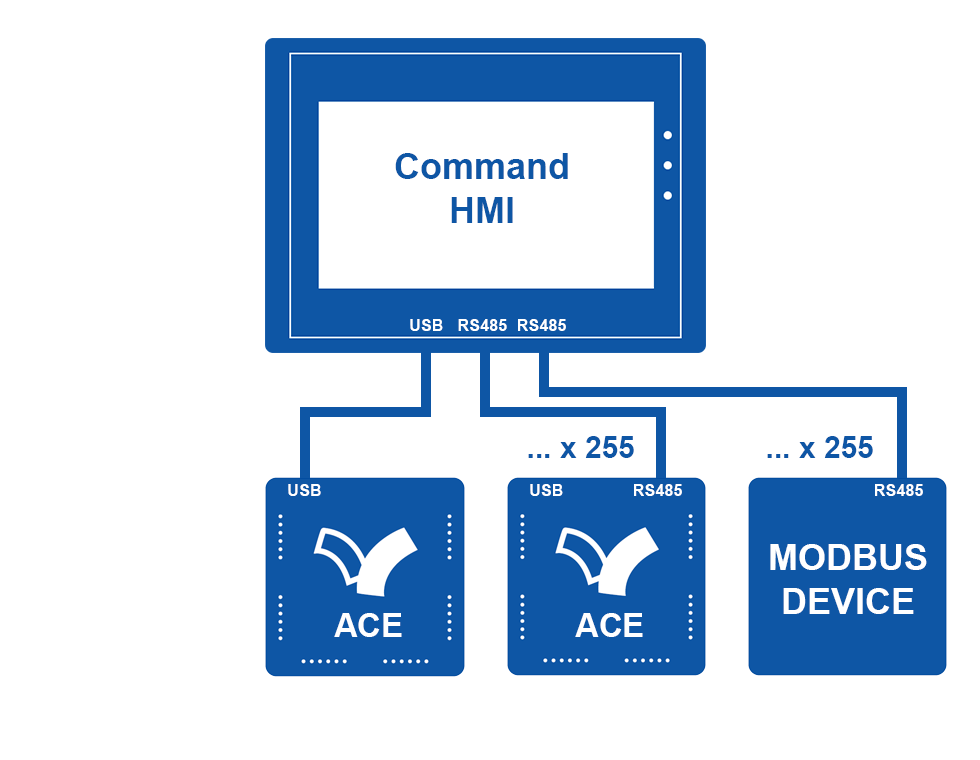
Fast integration with ACE PLCs via USB or RS232/RS485.
Compatible with other PLCs for maximum flexibility.
Note: vBuilder debug mode cannot run while using the PLC USB programming port.
Unbranded Front ✦ Neutral Style
Maybe you are an OEM machine builder.
Unmarked front panel. Logo-free start-up.
CommandHMI is deliberately designed to remain neutral, ensuring discreet and professional integration
Connect your CommandHMI to one or more ACE PLCs
All ACE PLCs feature a USB port.
Some models also include RS232 or RS485.
CommandHMI expands your possibilities.




See also…

Industrial Gateway
Ethernet WiFi 4G GPS MQTT
ACE Data under Remote Control

ACE PLC
The Incredible Nano PLCs
For Machine Builders
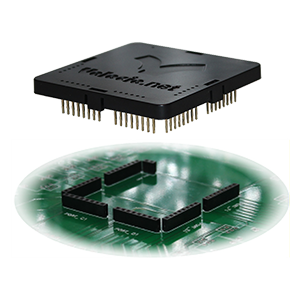
eACE PLC
To Embedded your ACE on a PCB
Adapted to your Needs

BUY ONLINE
Select your Solution
For your Machines